

What Appflare is
A self-hosted app manager that runs as one Worker in your own Cloudflare account.
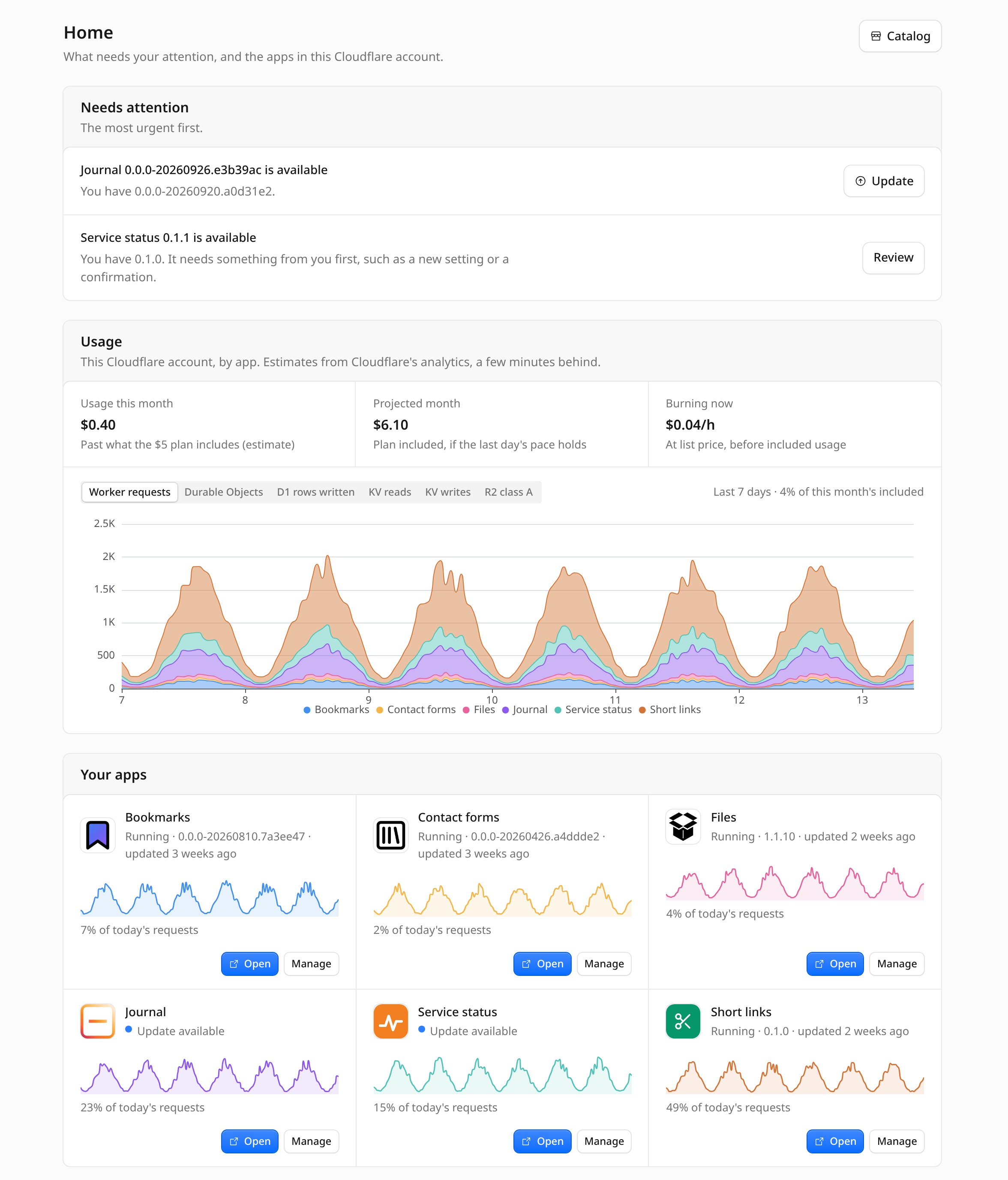
Appflare is a self-hosted app manager for Cloudflare. It is a single Worker that you install into your own Cloudflare account. From its web UI you browse a catalog of apps built for Workers, install them into the same account, and keep them updated. Home shows your installed apps and the work that needs your attention.
Install it
 Install Appflare
Open appflare.dev/deploy, sign in to Cloudflare, and choose where Appflare goes. The page deploys it into your account; there is nothing to install on your computer.
Install from your browser
The recommended way. Sign in to Cloudflare at appflare.dev/deploy, pick an address, and the page deploys Appflare there.
Or use Cloudflare's Deploy button
It goes through a copy of Appflare in your GitHub or GitLab account, which you remove afterwards.
Install Appflare compares the two and has the command line for advanced cases. Every way ends in the same setup wizard.
How it works
Whichever way you install, one Worker, the manager, is deployed into your Cloudflare account. The manager has a web UI where you browse a catalog of apps that run on Workers.
When you install an app, the manager creates what the app needs (KV namespaces, D1 databases, R2 buckets, queues, Vectorize indexes, secrets, cron triggers) and records each one. Because it knows every resource it created, it can update the app later, roll it back, and remove it cleanly.
Every app in the catalog is built from a pinned upstream commit, packed and signed by the catalog's CI. The manager installs nothing whose signature does not verify.
Why it exists
Cloudflare's "Deploy to Cloudflare" button copies an app's repository into your GitHub account. The copy has no link back to the original, so you never hear about new versions and have no way to update.
Appflare owns the install instead. It records every resource it creates for an app, so it can update the app, roll it back, and uninstall it. Appflare itself can use the button because it updates itself afterwards and does not need the copy.
What it is not
- Not a hosting service. Everything runs in your account, on your plan, under your limits. Nobody else runs a server for you.
- Not a template gallery. Apps are installed and run, not forked into a repository you then maintain.
- Not affiliated with Cloudflare. Appflare is an independent open-source project. It is not endorsed or sponsored by Cloudflare, Inc.
- Not collecting personal data. Appflare sends an anonymous report (counts, versions and error categories, never your account, emails, domains or secrets) to decide what to build and fix. It is on by default and easy to turn off; see Anonymous report. The installer keeps wrangler's own usage metrics off for the commands it runs.
What gets installed
Whichever way you install, these are created in your account:
| Resource | Name |
|---|---|
| Worker | appflare, served at https://appflare.<your-subdomain>.workers.dev |
| D1 database | appflare |
| KV namespace | appflare-kv (with the button, named after the project) |
| Workflow | appflare-jobs |
| Cron trigger | every 5 minutes |
| Custom domain | only when you give Appflare its own address, during setup or later |
The D1 database holds users, settings, install records, and job logs. The KV namespace caches the catalog. The Workflow runs installs, updates, rollbacks, and uninstalls as durable jobs. The cron trigger reads each app's usage every 5 minutes, and every 30 minutes refreshes the catalog and checks for new releases. It starts update jobs on its own only when you turn on automatic updates.
The parts
- The manager is the Worker above, with its web UI.
- The deploy page at appflare.dev/deploy puts the manager into your
account. Cloudflare's Deploy button and the command-line installer,
create-appflare, can too. - Everything after that, updates and removal included, happens in the manager's settings pages.
- The catalog is a public GitHub repository,
appflare/catalog. Its CI builds each app from a pinned commit, signs it, and publishes it. See How the catalog works.
Next
- Install from your browser, or compare the ways to install.
- Install an app from the catalog.
- Submit an app to the catalog.
- Security model: what the manager does with its access to your account.