

Give Appflare its own address
Move Appflare from its workers.dev address to a domain of your Cloudflare account, change it, or go back.
Appflare starts at its workers.dev address, such as
https://appflare.<your-subdomain>.workers.dev. It can live on a domain of your
Cloudflare account instead: a name under the domain, such as appflare.example.com,
or the domain itself. Cloudflare creates the DNS record and the certificate. The
workers.dev address keeps working and sends people on to the new one.
Only admins can change Appflare's address.
What you need
- A domain (a zone) on the Cloudflare account Appflare runs in, with the status Active.
- The same token permissions as custom domains for apps: Zone: Read, DNS: Edit and Workers Routes: Edit, for that domain. The token link in setup includes them. If the token lacks them, the dialog names the missing ones and links to the token in the Cloudflare dashboard. Appflare connected with Cloudflare sign-in has them already, so you can also choose the address while installing from your browser.
- With Cloudflare Access protection on, the Access permissions it already uses. Without them the move is refused before anything changes.
Where to choose it
Settings > Domains > Appflare's address shows where Appflare lives now, with
Open. On the workers.dev address it offers Use a domain.

When the account has no domain yet, the section says so and links to the Cloudflare dashboard to add one. A domain that is not active yet is named, and can be used once Cloudflare shows it as active.
Setup asks too. When the account has an active domain, the step Where should Appflare live? comes after the owner account is created. Keep the workers.dev address is the default. Use a domain of yours shows the same fields as the dialog below. Later skips the step; you can choose a domain in Domains settings at any time.
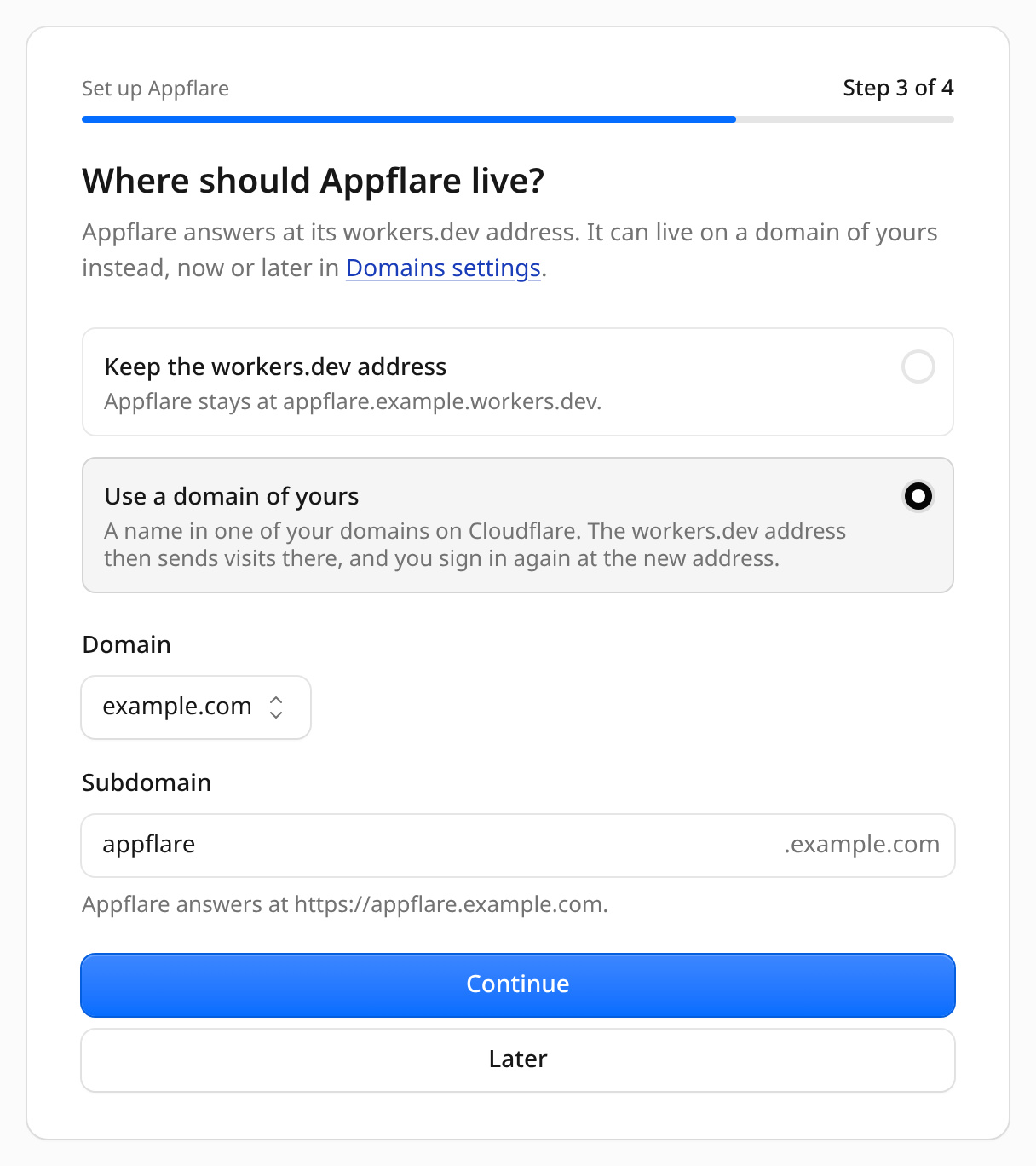
Move Appflare to a domain
- Select Use a domain.
- Choose the domain. With only one active domain, it is already chosen.
- Enter the name. The field suggests
appflare, forappflare.example.com. Leave it empty to use the domain itself. - Select Move Appflare.
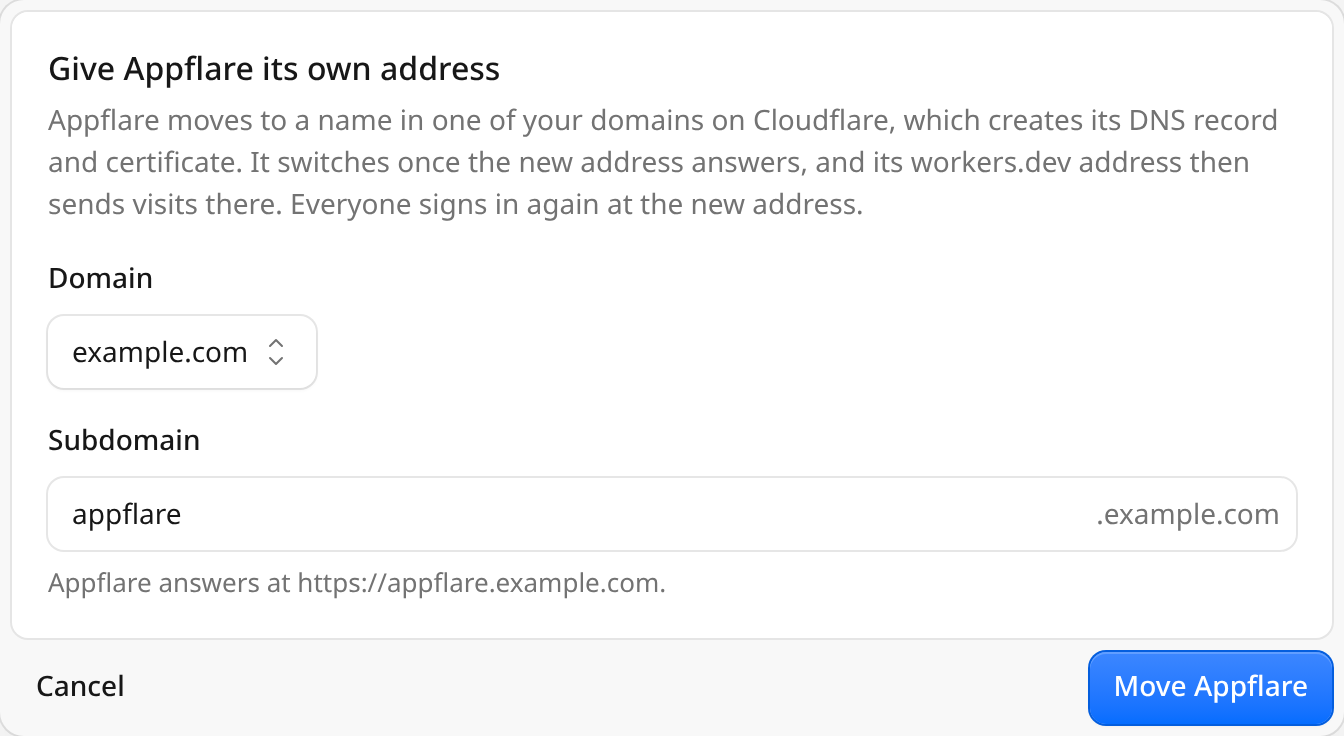
A name that already serves an app installed by Appflare, another Worker, or the external domains gateway is refused. If a domain was already attached to Appflare's Worker in the Cloudflare dashboard, the section shows it with Use it as Appflare's address.
What happens during a move
Appflare first checks the name and attaches it to its own Worker, the same way it adds a custom domain to an app. Cloudflare creates the DNS record. The rest runs as a job, Move Appflare's address:
- Waiting for the certificate and the new address. The job asks
https://<name>/api/healthuntil it answers as this Appflare. The certificate usually takes seconds, sometimes minutes. About once a minute the job logs "Not answering yet; certificates can take a few minutes". Appflare keeps answering at its old address meanwhile. - Moving Cloudflare Access, when Access protection is on.
- Switching the address. Appflare records the new address and moves everything that depends on it (see below).
- Detaching the old domain, when you changed from one domain to another.
The dialog, or the setup step, shows the job's lines as they arrive, with Open the job for its page. You can close the page: the move continues, and Domains settings shows its progress again when you come back.
When the move is done, a dialog says Appflare now lives at the new address. Select Go to the address and sign in there.
If it takes long
The job waits up to 15 minutes. If the new address never answers as this Appflare in that time, the job fails and says so: Appflare stays at its current address, and the name stays attached to Appflare's Worker. Appflare never removes it after a failed move. If the move replaced DNS records, the job says that they are gone. A new certificate sometimes takes longer; start the move again from Settings > Domains > Appflare's address, which waits another 15 minutes.
A notification channel that wants Appflare's move finished hears when the move succeeds, with a link to the new address, or fails, with a link to the job. See Notifications.
DNS records at the name
If the name already has DNS records, such as an A or CNAME record that points
at another server, Appflare lists them and moves nothing. To go on, tick Replace
the existing DNS records with the one for Appflare and select Replace records
and move.
Cloudflare then deletes those records, and Appflare cannot put them back, not even if Appflare later leaves this address. Whatever they pointed to stops receiving traffic for that name. For the domain itself, the dialog warns that your site at that domain stops answering. Note the records first if you may need them again.
What changes after the move
- Sign in again. Sessions belong to one address, so everyone signs in again at the new one. Passwords work as before.
- Passkeys. A passkey belongs to the address it was added at. Passkeys added at the old address work only there; add new ones at the new address in Settings > Users and sign-in > Your passkeys. The list marks the old ones Works at the old address.
- The workers.dev address keeps answering. A visit to one of its pages is sent on to the same page at the new address, so bookmarks keep working. Health checks and the installer still reach it. The redirect is temporary (a 302), so browsers do not hold on to it if the address changes again.
- Links Appflare sends. Links in notifications point at the new address.
- appflare.dev. The Use this Appflare on appflare.dev link names the new address. Select it again so Install buttons on appflare.dev open Appflare there; see Install links.
- Cloudflare Access. With Access protection on, Access moves with the address: its applications then protect the new hostname.
Change the address or go back
On a domain, the section shows the address, since when Appflare lives there, and Open, Change and Go back to workers.dev.

- Change moves Appflare to another name the same way, then removes the old name
from Appflare's Worker. The old name stops answering; only the
workers.devaddress sends visits on. - Go back to workers.dev asks first, then moves Appflare back, removes the name
from its Worker, and opens the sign-in page at the
workers.devaddress. Passkeys added at the domain work only there; sign in with your password or a passkey added atworkers.dev, which works again.
Removing a name does not bring back DNS records that a move replaced.
If the domain stops serving Appflare
Every 30 minutes Appflare checks that its domain still serves it. If the name was
removed from Appflare's Worker, for example in the Cloudflare dashboard, Appflare
goes back to its workers.dev address, moves Access back when it is on, and sends
the notification Appflare's address stopped working. Sign in at the workers.dev
address with your password; passkeys added at the domain do not work there.
If Access could not be moved back, the notification says so: Access still protects
the lost name, and Appflare refuses sign-in at workers.dev until you follow
If you are locked out.
Until the next check, the section shows a warning that the name no longer points at Appflare.